Search every water-court case on record
Fill in any combination of criteria — case number, division, county, structure name, WDID, water source, adjudication year, or words from the decree text — and press Search. Results come back one row per case: the rights it adjudicated, the structures and counties they sit in, the earliest adjudication date, the case’s most senior priority, and the imaged documents on file where they exist. Expanding a case lists every right it adjudicated, most senior first, with the court’s documents underneath.
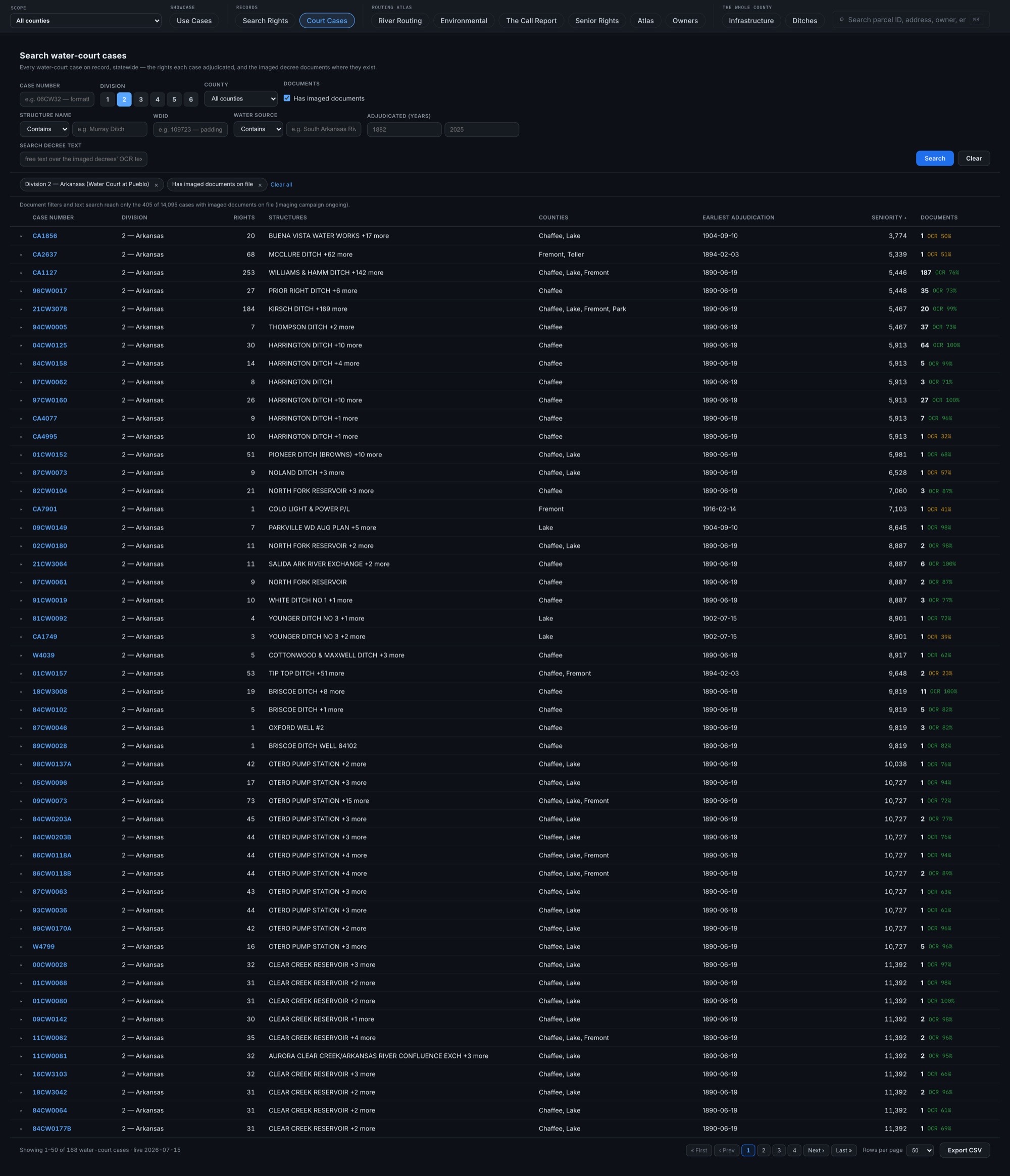
One row per case, every right inside
A water-court case can adjudicate one right or hundreds. Expanding a case lists every right it adjudicated, most senior first, each with its own priority and decreed amount — and each opens into its full dossier. In the example, a Harrington Ditch case — the same ditch featured in the dossier example — is expanded to its rights and its imaged court documents.
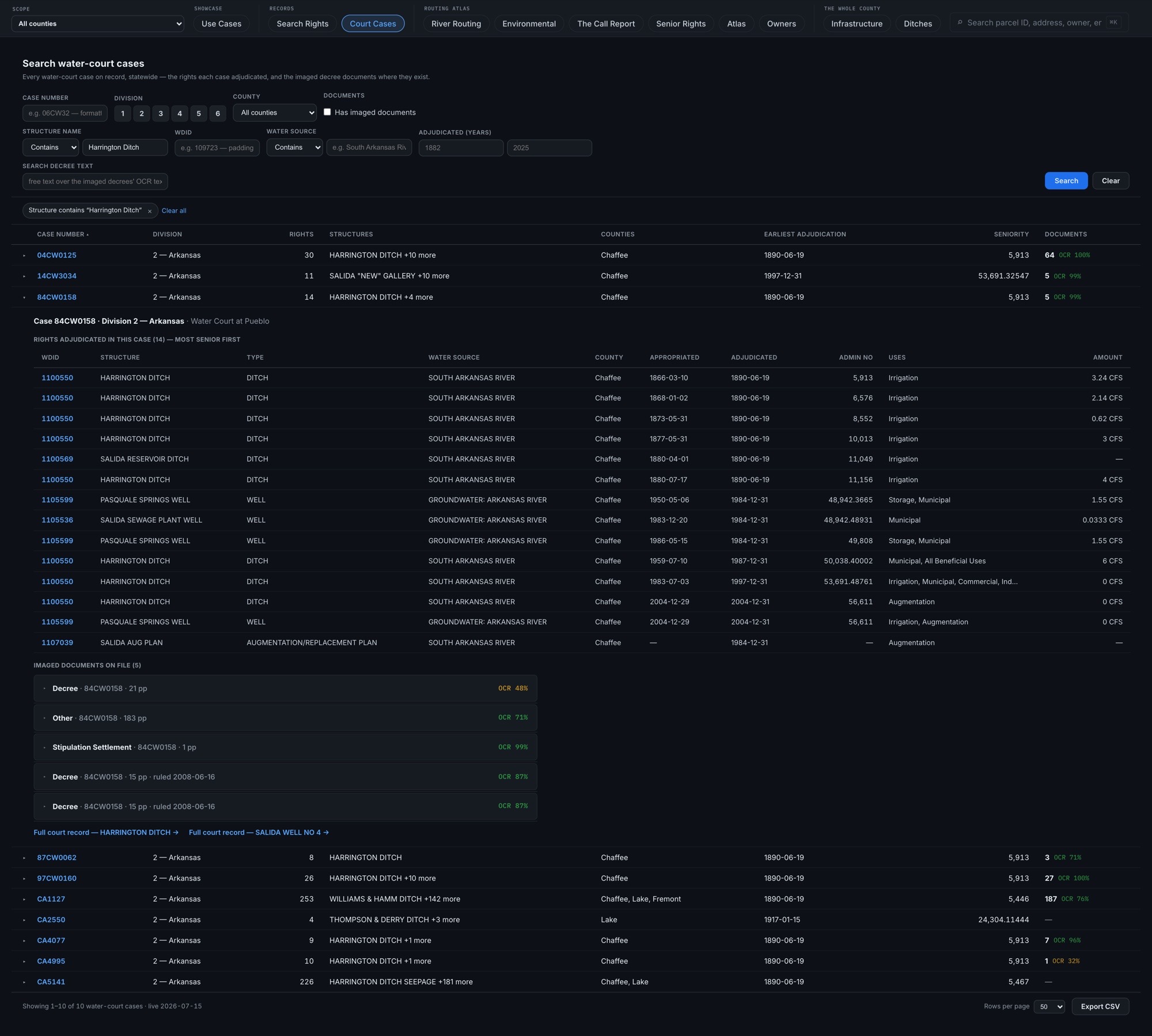
The imaged decree, where it exists
Where the court’s paper record has been imaged, the case carries its documents — decrees, referee’s rulings, applications, and supporting filings — each with a page count, an OCR-confidence figure, the document itself as a PDF, and a link to the DWR microfiche it came from. The tab states how many cases carry imaged documents so far; coverage grows as the imaging campaign proceeds.
Forgiving case numbers, whole-set export
Case numbers are formatting-forgiving — “06CW32” also finds the case filed as “06CW0032” — and the search shows how it read them. Searching the decree text reads the imaged records, and the results say so when only part of the record can be reached. The whole match set exports to CSV with plain-English headers.